
The whole island in 50 seconds
Music, approving Claude Code from the notch, text from a screenshot, a clipboard that hides your keys, reminders, focus, modes, and the small alerts in between.
It has music, so turn the sound on if you can.
Every feature, free
Nothing to unlock. All of this is in the one free download.
New in 1.0: Droplets
The island has a new look. A black core grows out of the notch and tells you the one thing that matters right now: Claude Code at work, a call, a focus session, or a download. Under it hang droplets, one for each feature. Tap one and it grows into a full view; tap Done and it goes back.
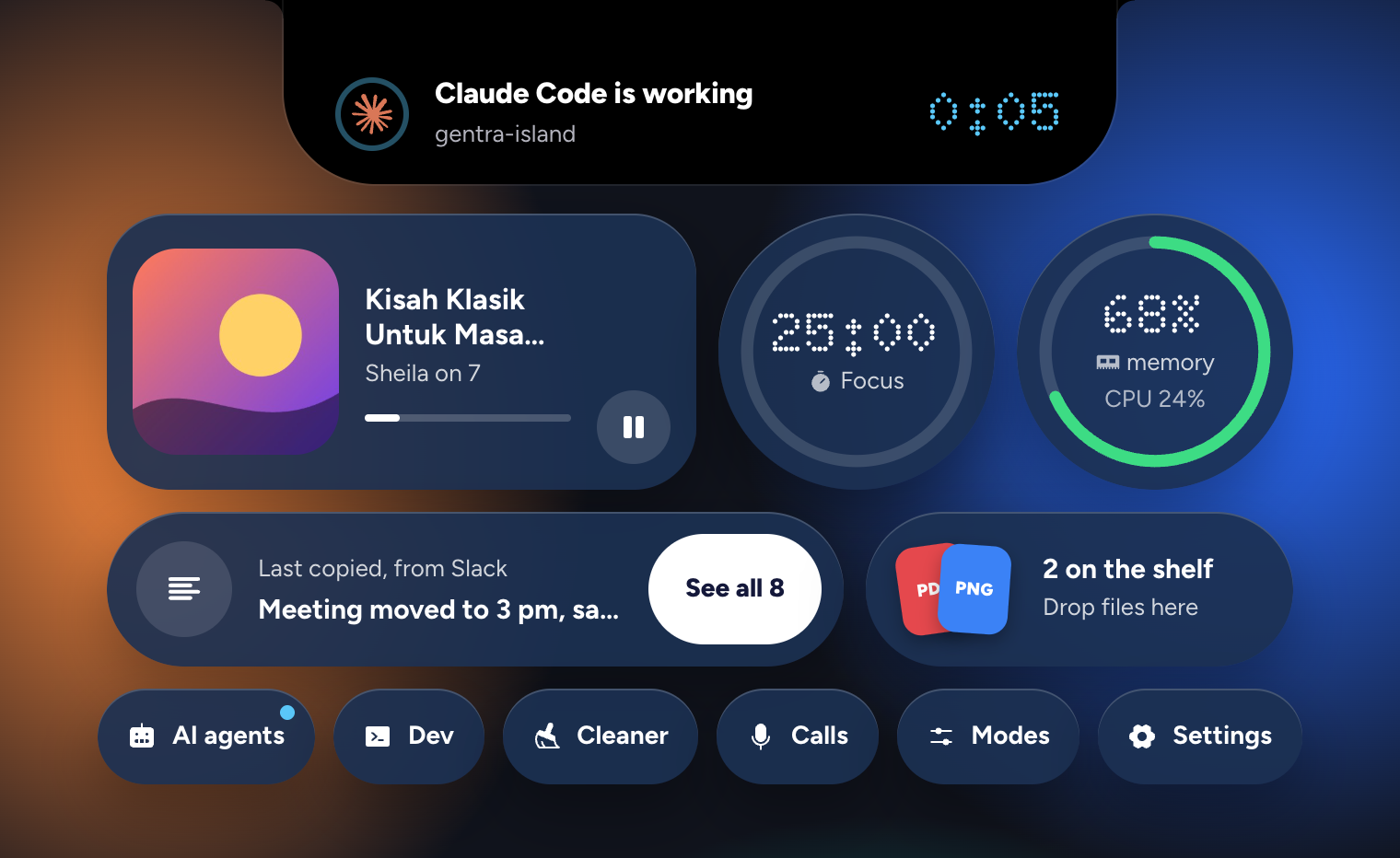
Real glass on macOS 26
On macOS 26 and newer, the droplets are Liquid Glass: your wallpaper shows through, blurred and bent the way glass bends it. Older Macs get frosted droplets, and Windows and Linux get solid ones, with the same shapes and the same motion.
Big numbers use Doto, a dot-matrix face like the eyes in the notch. Your accent color tints every droplet.
Opening and closing run on the graphics chip, so they stay smooth.
Two droplets while music plays
The cover and a level meter split off either side of the notch, so you see what's playing without opening anything. A call takes their place when it matters more.
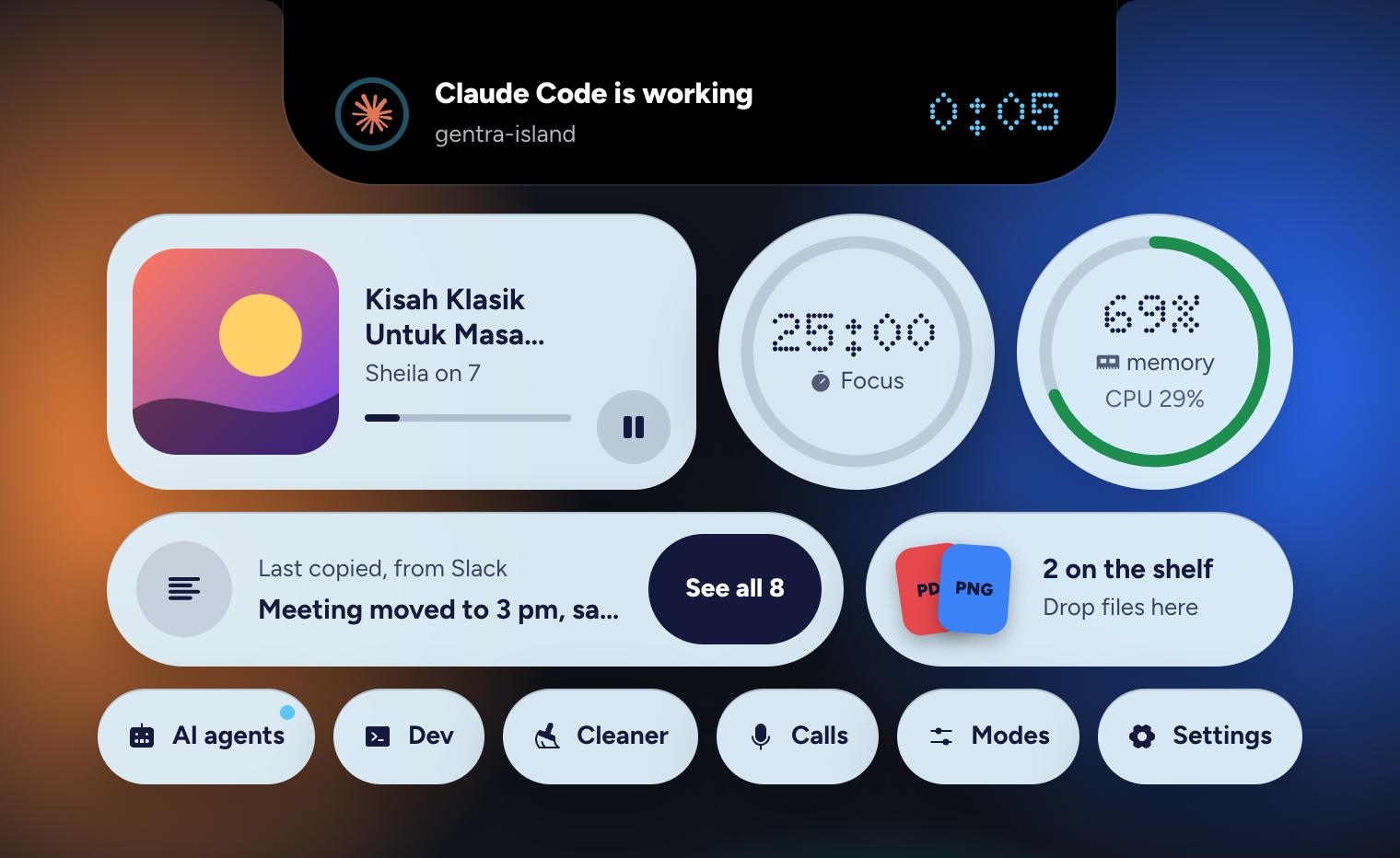
Light or dark
Match the system, or pick one. Colors that are too pale or too dark get adjusted so text stays readable.
Small until it matters
On a MacBook it sits close around the notch, so your menus stay where they are. Hover, click, or press ⌥⌘G (Ctrl+Alt+G on Windows and Linux) to open it. It speaks up by itself only when something is worth seeing.
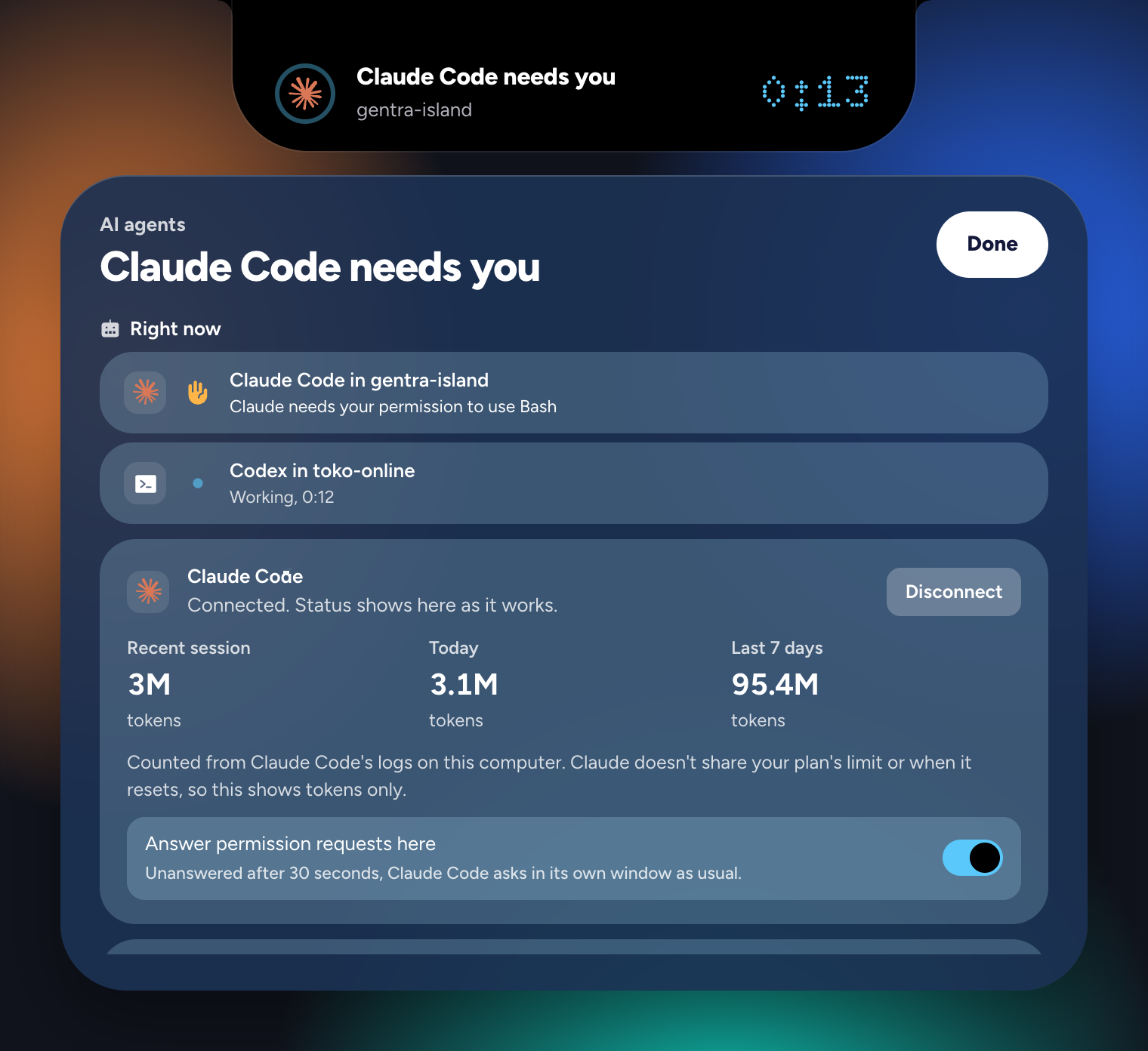
Know when Claude Code needs you
Leave Claude Code or Codex working and get on with something else. When it asks for permission, the notch shows its question. When a longer task is done, it tells you how long it took.
The AI tab shows the tokens Claude Code used in your latest session, today, and the last 7 days, read from the logs on your computer. Claude doesn't share your plan's limit, so the island doesn't guess one. Codex's own limits show as bars, with a heads-up at 80%.
When Claude Code asks for permission, answer right there: the notch shows the command in full with Allow, Deny, and In terminal.
One click to connect. It explains what changes first, and Disconnect undoes it.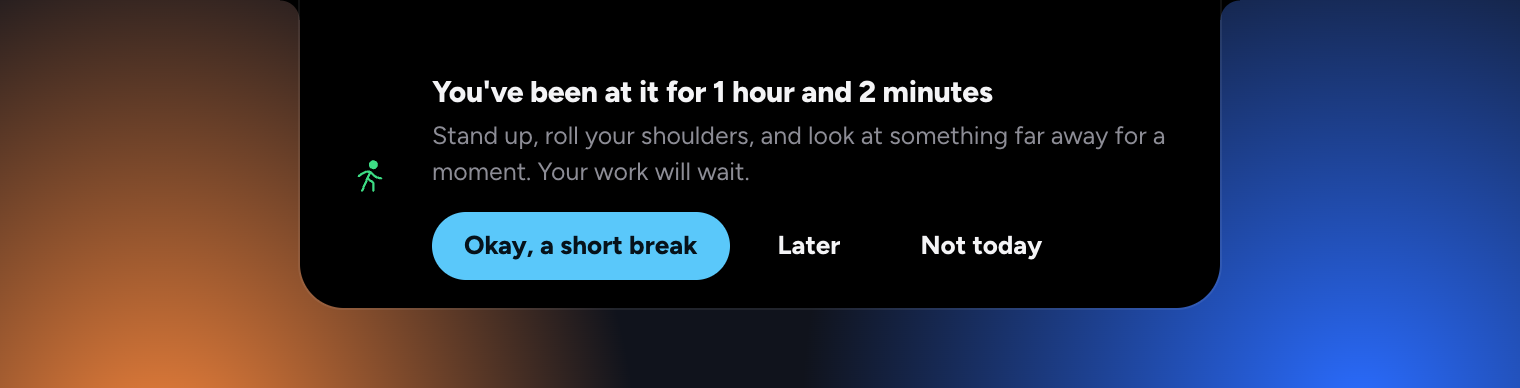
A friend who reminds you to drink water
Work long enough and you forget the small things. After about 50 minutes at the keyboard, the island suggests you stand up. It reminds you to drink water, to eat lunch and dinner, and to stop when it's past eleven.
Five minutes away from the keyboard counts as a break. It stays quiet during calls and focus sessions, keeps 20 minutes between reminders, and stops at 8 a day.
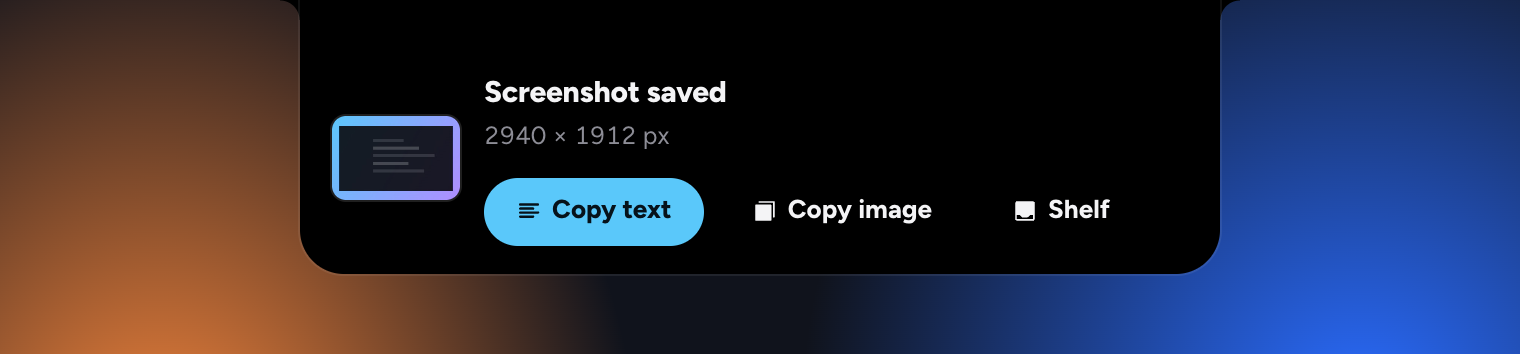
Copy the text out of any screenshot
Take a screenshot as usual. It shows on the island, and Copy text puts the words in it on your clipboard. Read on your computer, with no upload.
It works the way you already take them: saved to the Desktop, copied straight to the clipboard with ⌃⇧⌘4, or any image you copy from the web. Error messages, a slide, a receipt, a page you can't select: one click and the text is yours to paste.
Older ones too: every image in your clipboard history has its own Copy text.
Vision on a Mac, the built-in OCR on Windows, tesseract on Linux. Nothing leaves your computer.
Downloads, right in the notch
See a file arrive while your browser downloads it, then open it or find it in one click when it's done.

A little character in your notch
Two glowing pixel eyes sit either side of the camera, in your accent color, and follow your pointer. They smile when a task is done, look up when something needs you, and nap while you're away. They sit in the menu bar, so nothing below is covered. Off, Moments, or Always, in Settings.
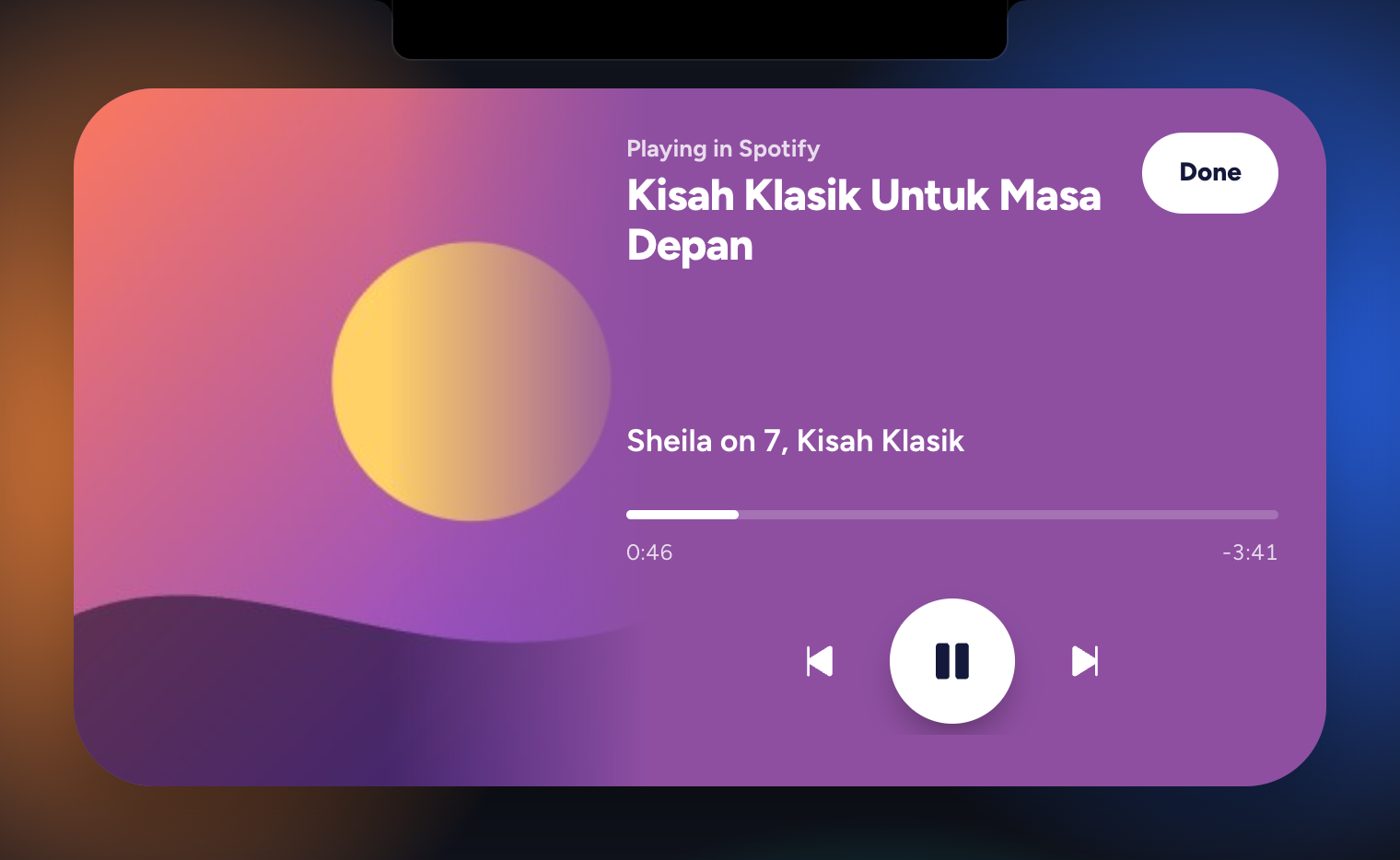
Whatever's playing, one hover away
Spotify, Apple Music, YouTube, and other players. See the song or video, play and pause, skip, or drag the timeline. The cover fills the panel and fades into its own color, and the words switch between light and dark to stay readable on it.
While music plays, two small droplets beside the notch show the cover and a little level meter.

Copy a time, get a reminder
Copy "meeting moved to 3 pm" or "rapat Jumat jam 14.00" and the island offers to remind you. One click. Any copied text can get a reminder: in an hour, tonight, tomorrow morning, or any time.
Understands English and Indonesian, on your computer, without the internet.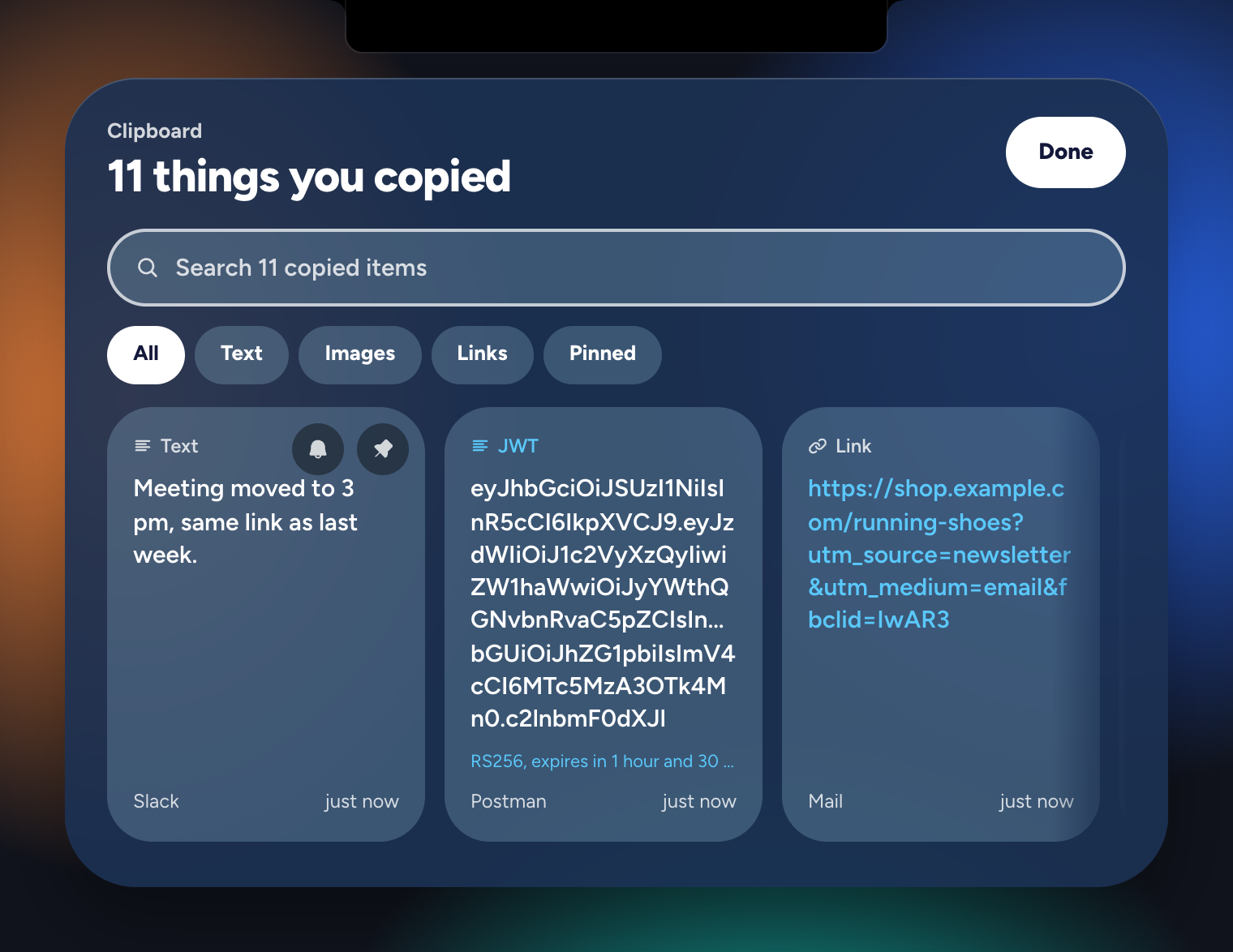
A clipboard that remembers, and understands
Text, links, code, colors, and screenshots, searchable and pinnable. Press ⌥⌘V (Ctrl+Alt+V) to bring it up. It decodes JWTs, timestamps, and JSON, and can copy a link without its trackers.
API keys and private keys are never saved, and they leave your clipboard after 60 seconds.
It cleans up after itself, so it never fills your disk. Keep things for 1, 7, or 30 days, or until it's full, with at most 60 images. Pinned items always stay, and Settings shows how much space it takes.
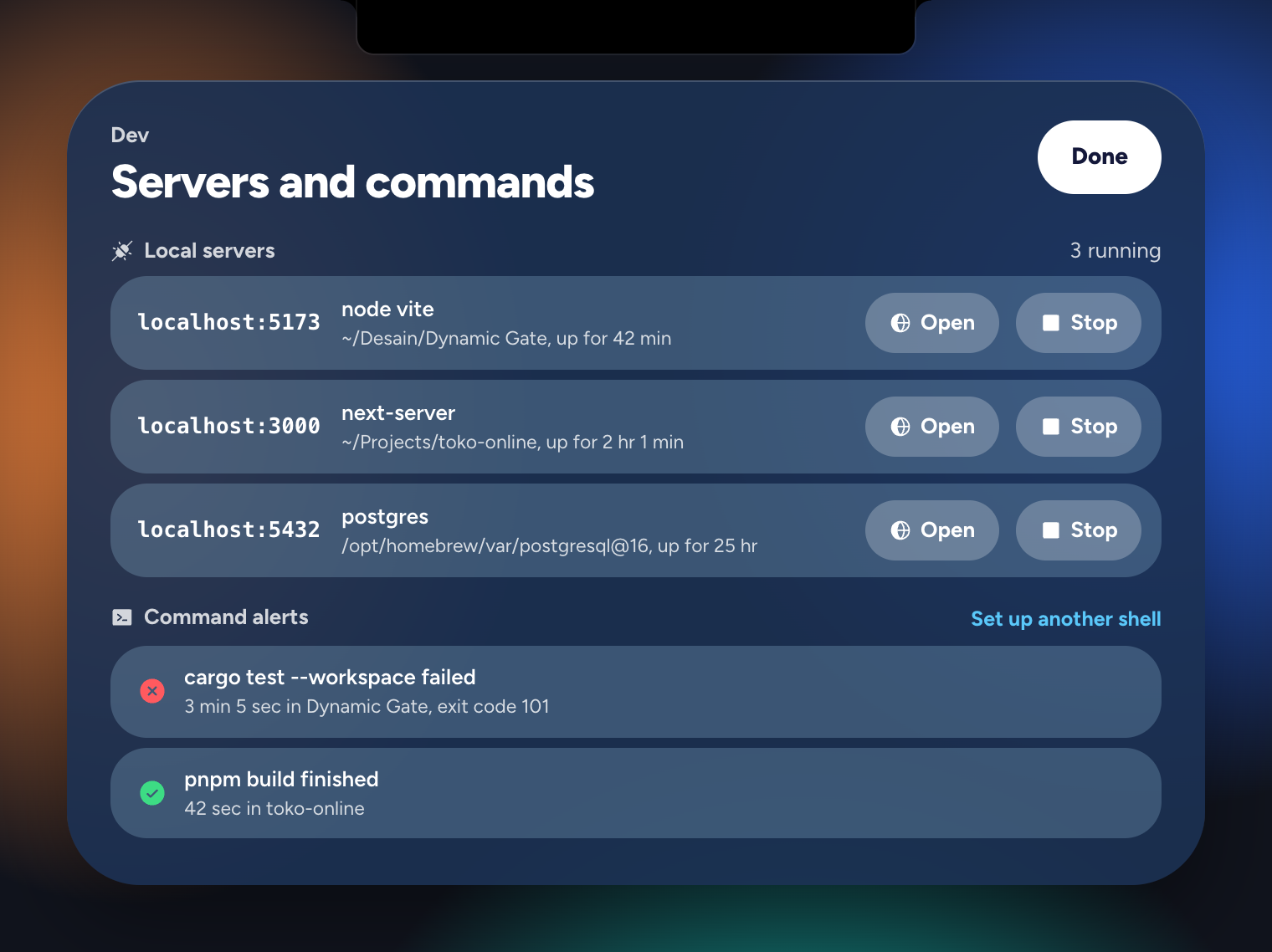
For developers
See every local server by port and folder, open it, or stop it. Get told when a build or test of 10 seconds or more finishes, with how long it took.
For calls
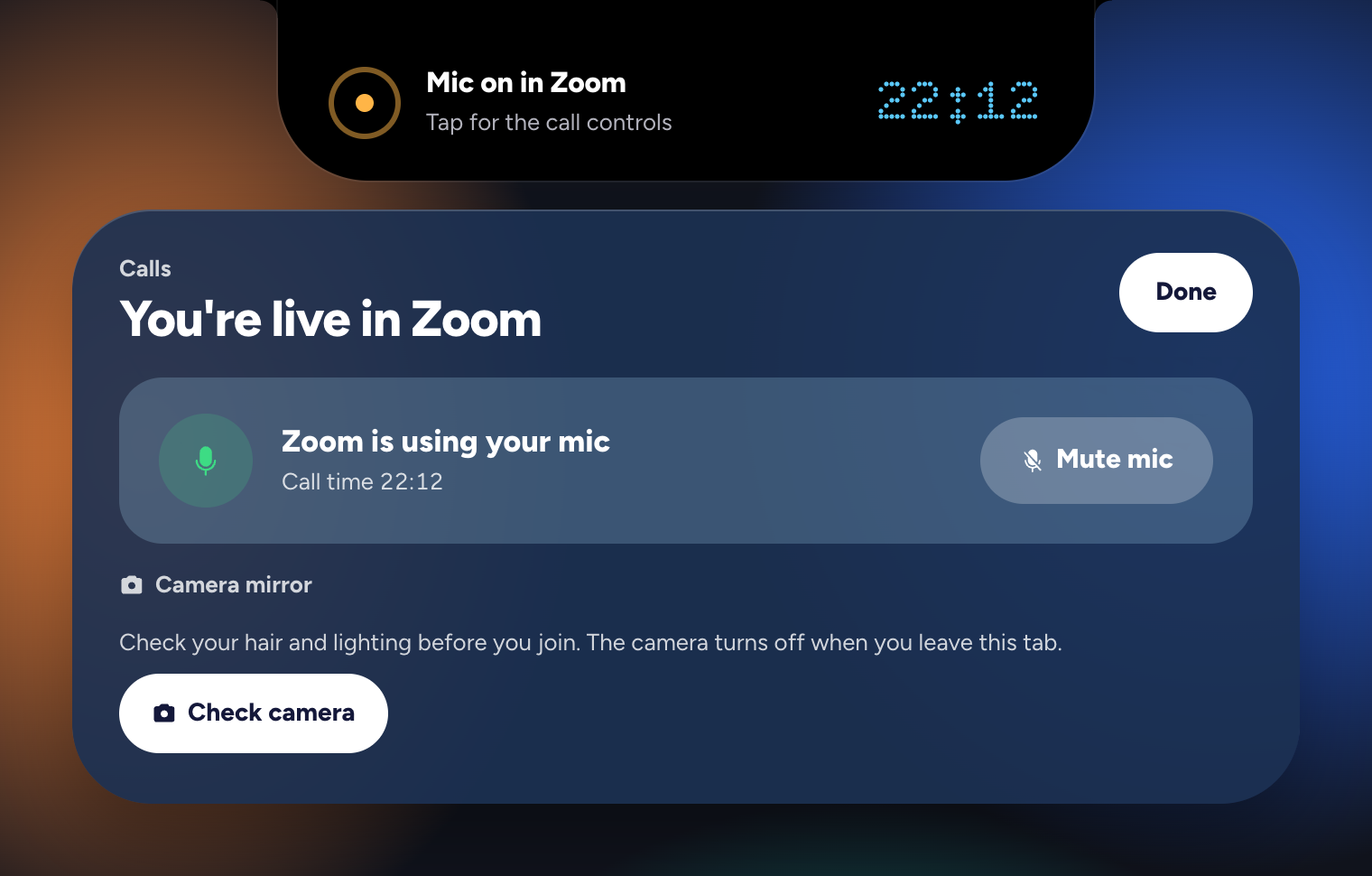
See which app has your mic and how long the call has run. Mute the mic for every app at once on a Mac, and check your camera before you join.
Free on every computer you use
One app, three systems. Pick yours; every download is the same free app.
Windows
Windows 10 version 1809 or newer, 64-bit. Installs without an admin password.
4 GB of memory is enough; 8 GB is comfortable. It uses about 1% of the CPU while you work. The first time you open it, macOS or Windows may warn you, because the app isn't signed yet: the install guide shows the one-time steps.
Free means free
There is no paid version. Every feature on this page is in the download, and it stays that way. No trial that runs out, no feature behind a login.
It's open source under the GPL-3.0, so anyone can read the code, and any changed version has to stay open too.
Made by Adam Faturahman. If it saves you time, you can buy him a coffee. It's optional, and the app is the same either way.
Your data stays with you
No account, no analytics, no tracking. The app sends nothing about you anywhere.
Your clipboard stays on your computer, and API keys and private keys are never written to disk.
It never listens to your mic. It only asks the system whether an app is using it.
It never reads other windows. To step aside for full-screen apps, it checks only where windows sit on the screen, never their titles or what's in them.
The details are in the Privacy Policy.
Buy Adam a coffee
Gentra Island is free and stays free, with no paid version and nothing locked. It's made by one person, Adam Faturahman, in his own time. If it saves you a few minutes a day, a coffee helps keep it going. It's optional, and the app is the same either way.
Questions
Is it really 100% free?
Yes. There's no paid version, no trial, no ads, and no account. The code is open source under the GPL-3.0. A coffee tip is welcome but changes nothing in the app.
Do I need a MacBook with a notch?
No. With a notch it blends into the camera housing. On other Macs, and on Windows and Linux, it floats as a small pill at the top of the screen.
How is it different from NotchNook or Boring Notch?
It covers similar ground, like now playing and a file shelf, and adds Claude Code and Codex status, break and water reminders, clipboard history, reminders from what you copy, a system monitor, developer tools, and call tools. It's free, and it runs on Windows and Linux too.
Can it tell me when Claude Code or Codex needs me?
Yes. Open the AI tab and click Connect. When Claude Code asks for permission, the notch shows its question, and when a task of 15 seconds or more is done, it tells you how long it took. It also shows the tokens you've used in your latest session, today, and the last 7 days, read from the logs on your computer.
Can I approve Claude Code's requests from the notch?
Yes. Connect Claude Code in the AI tab. When it asks for permission, the notch shows the exact command with Allow, Deny, and In terminal. Only your click decides, and an unanswered request goes back to Claude Code's own prompt after 30 seconds.
Can it copy the text from a screenshot?
Yes. Take a screenshot as usual and click Copy text on the island. The text is read on your computer: Vision on a Mac, the built-in OCR on Windows, and tesseract on Linux. Nothing is uploaded.
Can it remind me to take breaks and drink water?
Yes. Gentle care counts real keyboard and mouse activity and suggests a break after about 50 minutes, water every hour and a half, lunch, dinner, and bed when it's late. Never during calls or focus sessions, and at most 8 a day. Every reminder has Later and Not today.
Does it cover my menu bar?
No. On a MacBook with a notch it stays close around the notch: two small eyes beside the camera when nothing is happening, or small icons while something is playing or running. Nothing below the menu bar is covered. You can switch the eyes off in Settings.
Will it slow down my computer or drain the battery?
It's built to stay out of the way: about 1% of the CPU while you work, nothing animates while it's still, and features you switch off stop running.
Why does my computer warn me when I first open it?
The app isn't notarized by Apple or code-signed for Windows yet, which costs money for a free project made by one person. The install guide shows how to open it the first time. On a Mac, that first open can take a few minutes while macOS checks the app; the island then appears at the top of the screen with a short guide.
Put your notch to work
Free for Mac, Windows, and Linux. It takes a minute to install.
Download for free